
HDRmaster by FF Pictures
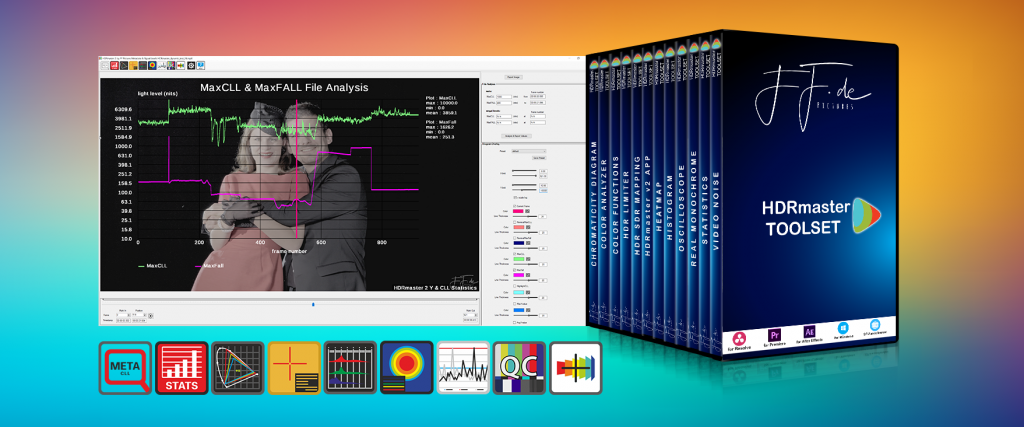
NEW: HDRmaster v2 and HDRmaster 8K (for Windows)
Now with advanced HDR analysis tools, more file formats, GPU accelleration (up to 10x faster than version 1), dynamic metadata and automatic inspection features.
Purchase HDRmaster ToolsetThe HDRmaster Toolset includes the HDRmaster application (HDRmaster 8K for Windows) as well as Plug-Ins for Davinci Resolve and Adobe Premiere / After Effects hosts. The annual subscription model with additional costs after the first year will help to get the latest versions and new features to you.
Purchase HDRmaster 8K standaloneHDRmaster 8K Standalone for Windows is the right choice for you if you want to save money because you don’t need 8K, 64-Bit or the additional Plug-Ins.
HDRmaster is the successor of SEIedit. This tool for Windows includes all capabilities to inject or edit HDR / HLG metadata into video streams.
HDRmaster will also allow you to read RAW YcbCr values as well as decoded RGB and nit values.
HDRmaster allows you to:
- Analyze signal levels of HDR video files (YCbCr values, RGB values, nit values, MaxCLL and MaxFALL for single frames or all frames of the video)
- CSV export of the values above
- Decode frames with BT.709 or BT.2020 matrix coefficients
- Export single video frames to uncompressed 16 Bit TIFF files for further analysis (including encoding artifacts) or comparison against the reference in color grading systems or encoding workflows
- prepare HDR videos for Youtube upload (note: it must be high profile AVC encoded, preferably in 10 Bit)
You won’t find any other tool that is capable of these functions and still affordable for small businesses.
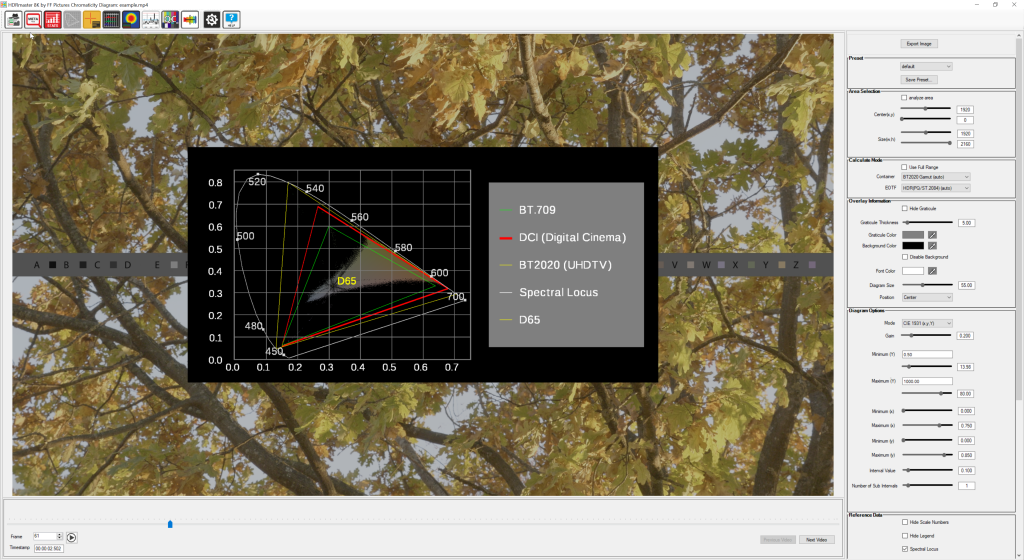
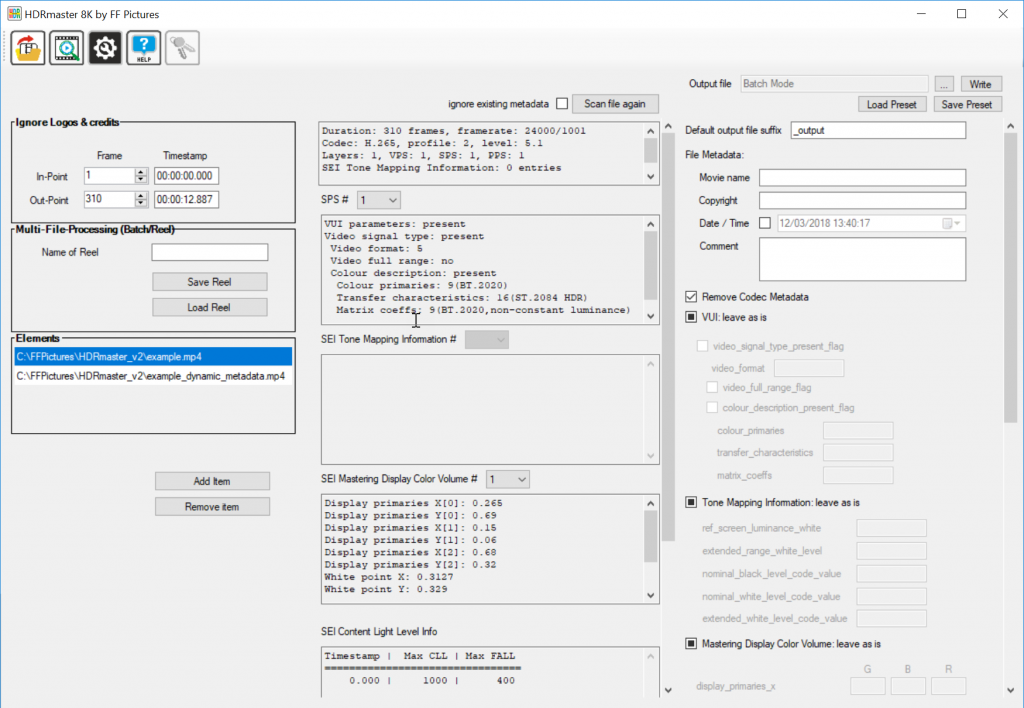
Many different analyzers and features built into HDRmaster will help you to master the tasks of modern HDR productions:
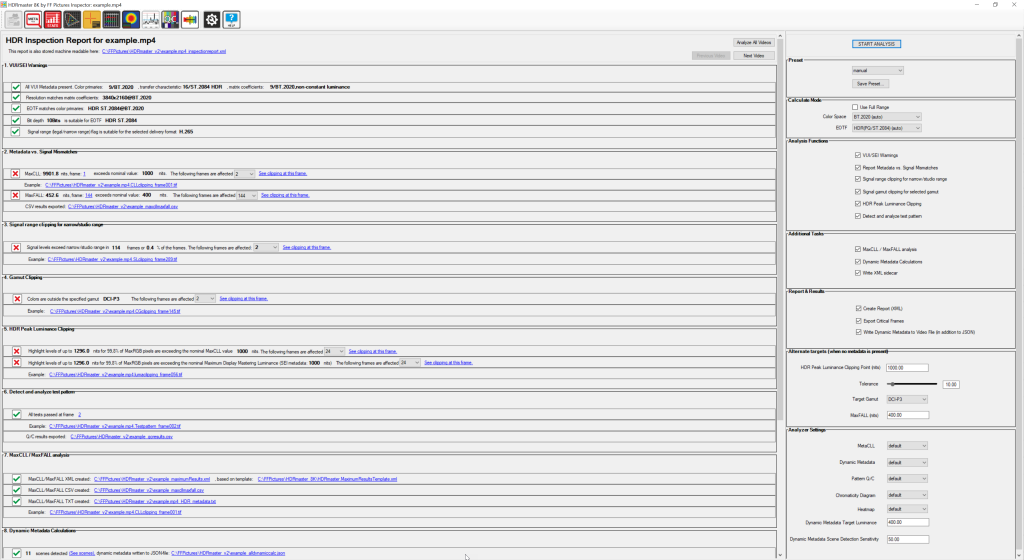
HDR Inspector: Basically one tool to do it all at the push of a button! You’ll get a full analysis of metadata, signal levels together with warnings based on a detailed smart analysis of your file(s).
MetaCLL: Detailed Metadata and Signal Level Analysis over the whole video, providing statistical values such as MaxCLL and MaxFALL or luminance levels of Highlights for all frames in the video. The results are summarized and written into a CSV which can be applied to the individual frames of video as well.
Dynamic Metadata: HDR10+ compliant handling of dynamic HDR metadata, allowing to import and export dynamic metadata, supporting both (video and JSON files), seeing values for every frame, edit values and more.
Frame statistics: Shows you a large number of statistic values about each frame of video. You’ll learn more about the APL, the levels of highlights or the amount of shadow detail in the picture)
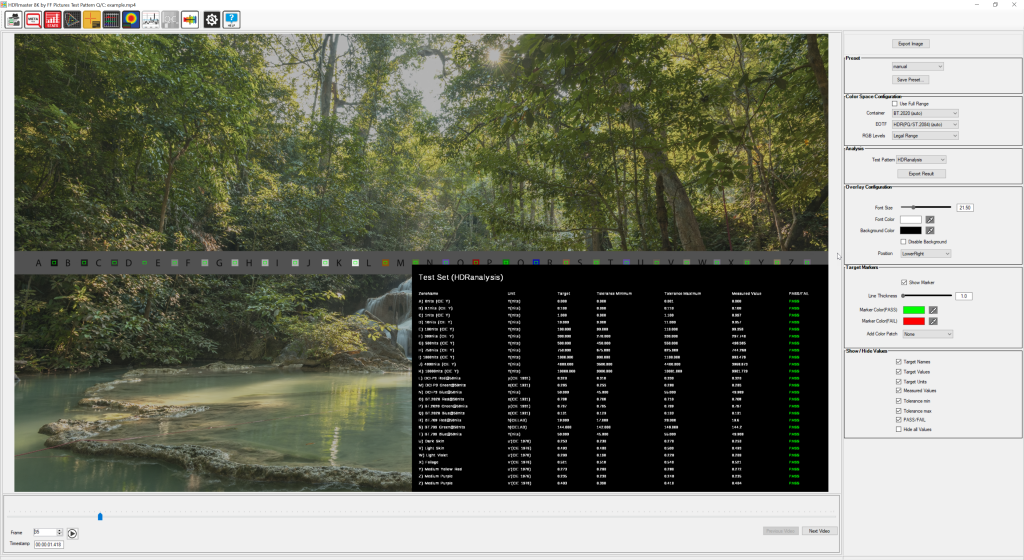
Test pattern QC: In modern HDR workflows, many tools involved have a lot of settings and the accuracy of the workflow can be messed up easily. Test pattern QC is capable of analyzing many different signal parameters at once and create a pass/fail report out of it. The needed Test Stripe to implement in your workflow is included as a uncompressed TIFF-File.
Chromaticity Diagram: Shows you the pixels of the content in a CIE Diagram (x,y and u’v’ coordinates) to see if everything is exceeding specified gamuts like BT.709 or DCI-P3.
Color Analyzer: Allows you to put a cursor somewhere in the frame of your video to see all relevant luminance- and chrominance values of the selected pixel.
HDR Histogram: See the luminance distribution of the current frame in different modes and an adjustable range.
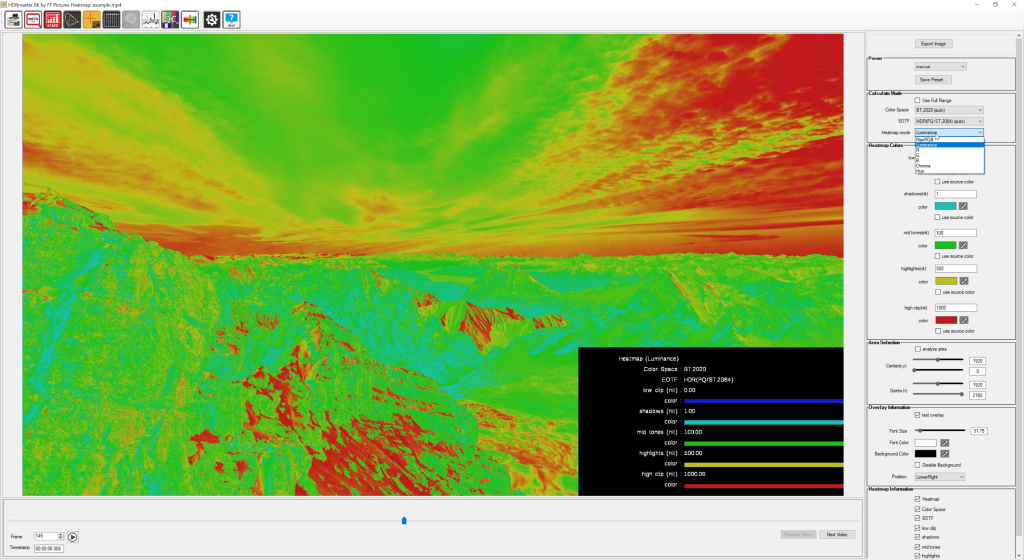
HDR Heatmap: Converts luminance to selected colors, similar to the “false color” feature of many production monitors.
Oscilloscope: This analyzer function will give you an oscilloscope-like tool for your videos or frame sequences (TIFF, EXR, DNG, DPX). The data for the Waveform can be a single line or column or even a drawn line from Cursor A to Cursor B. The values can be exported as CSV for further processing (for example when you do camera tests).